

1. 🗨️ User Conversation Analytics
This section tracks user interactions, providing a complete picture of customer behavior and preferences.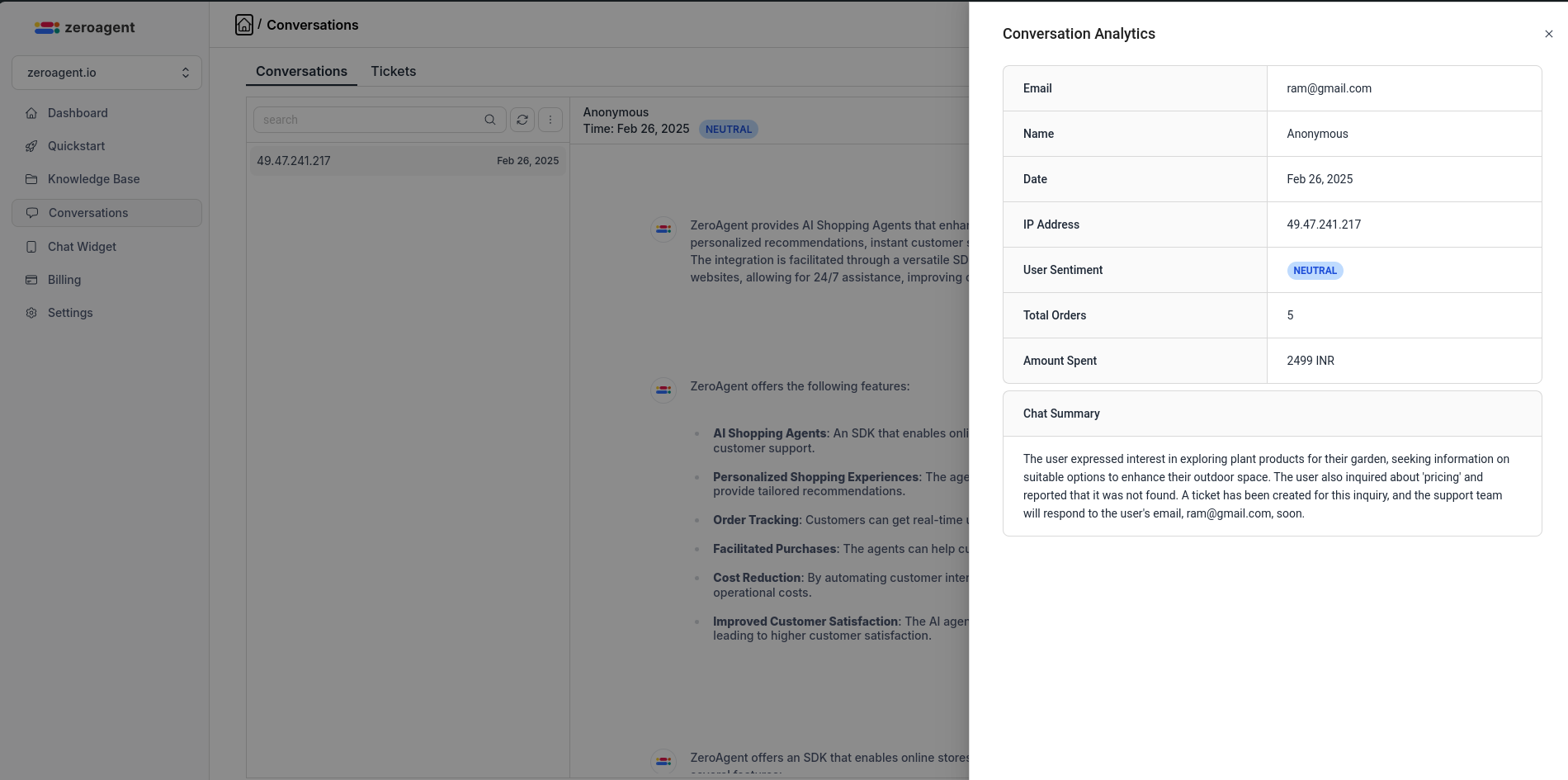
Captured Data
- User Details: Name, Email, and IP address to identify and segment customers.
- User Sentiment: AI analyzes the entire conversation to determine if the sentiment is positive, neutral, or negative, helping businesses gauge customer satisfaction.
- Total Orders & Amount Spent: Tracks user purchase history, highlighting shopping behavior and high-value customers.
- Chat Summary: A concise AI-generated summary of the full conversation, ensuring quick access to key details without reviewing entire chat logs.
Benefits
- ✅ Personalize user interactions based on shopping history and sentiment.
- ✅ Identify high-value customers and offer targeted promotions.
- ✅ Optimize AI chatbot responses for better customer support.
2. 🎟️ Ticket Analytics
Ticket analytics help businesses track support requests and customer issues efficiently.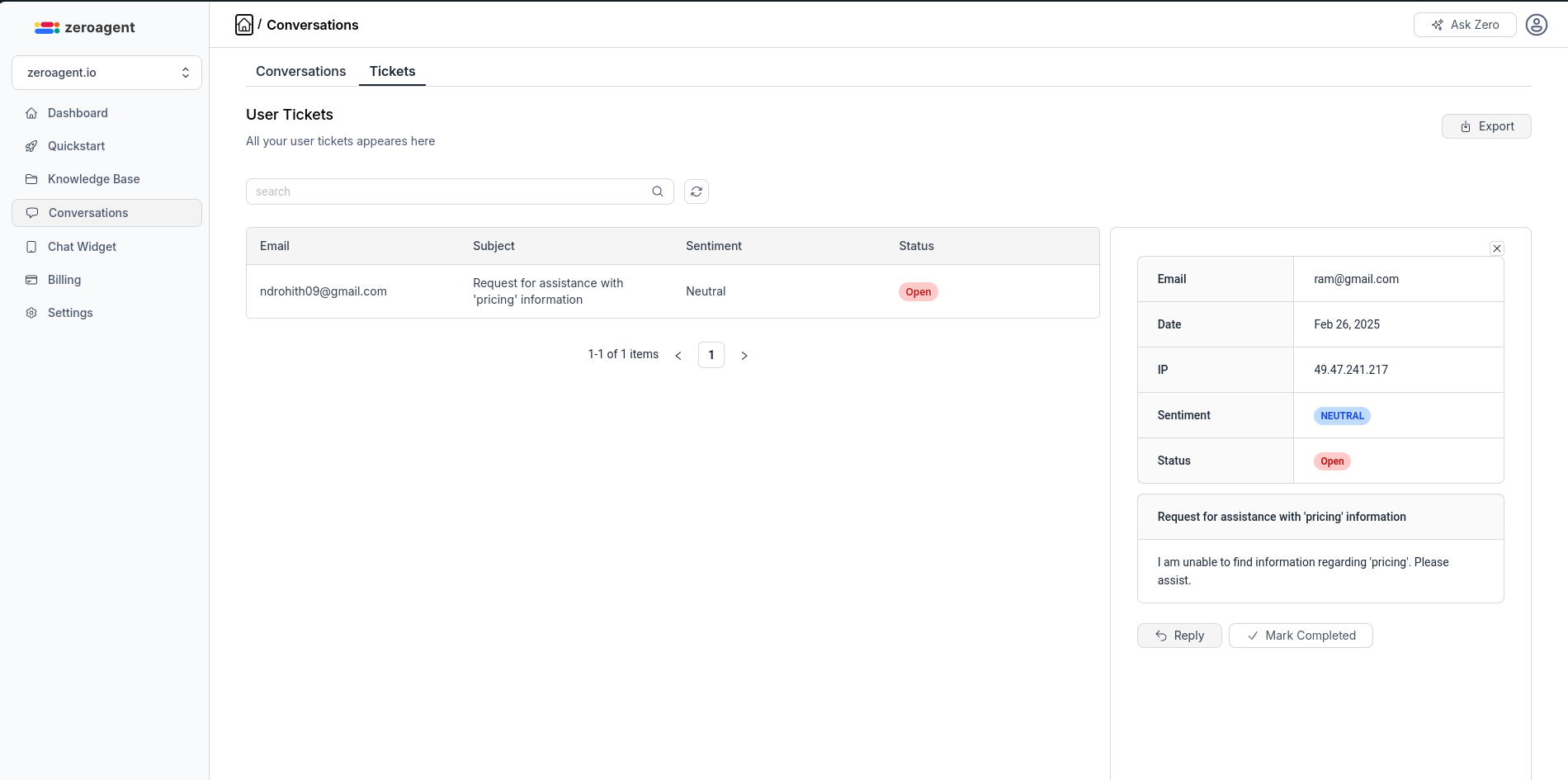
Captured Data
- Email, Subject, & Description: Captures the essential details of every support ticket.
- User Sentiment on Ticket: AI detects the emotional tone of the ticket to prioritize urgent or frustrated customers.
Benefits
= ✅ Prioritize critical issues based on sentiment analysis. = ✅ Improve customer support response times. = ✅ Identify common issues and optimize support workflows3. 📊 Dashboard Analytics
Dashboard analytics provide insights into the platform usage and overall AI assistant performance.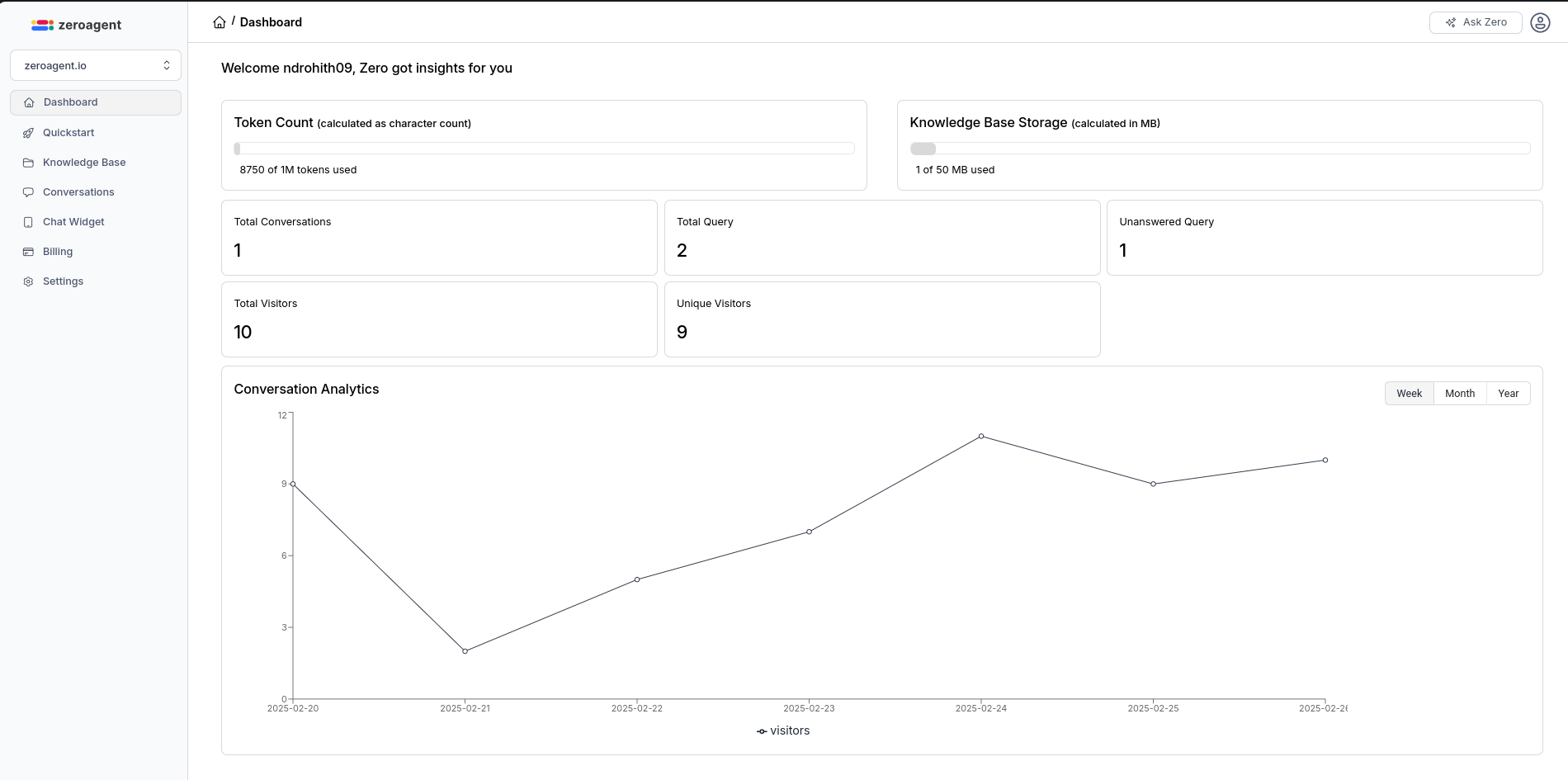
Captured Data
- Total Tokens Used & Total Storage Used: Tracks resource consumption to help businesses monitor usage.
- Total Orders, Queries & Conversations: Measures the AI assistant’s effectiveness in handling customer interactions.
Benefits
- ✅ Optimize resource allocation based on actual usage.
- ✅ Monitor AI assistant engagement and performance.
- ✅ Gain a holistic view of store activity and customer interactions.